Independent courier apps: choose the right tool for your work
Compare independent courier apps by purpose, local access, vehicle fit and delivery records. Choose the right work tool without income promises.
Independent courier apps do three different jobs: marketplaces let eligible drivers review delivery requests, route planners organise stops they already have, and assigned-work apps help them complete deliveries for a business or platform. Choose the category first. Downloading a useful driving tool does not mean it will provide customers or available work.
This guide is for an independent delivery operator comparing tools, especially in the UK. Start with the missing part of your working day, then check local access, vehicle fit, the full delivery commitment and the records you will need afterward. The examples explain different roles; they are not a ranking by earnings, a list of vacancies or a promise that any platform has work nearby.
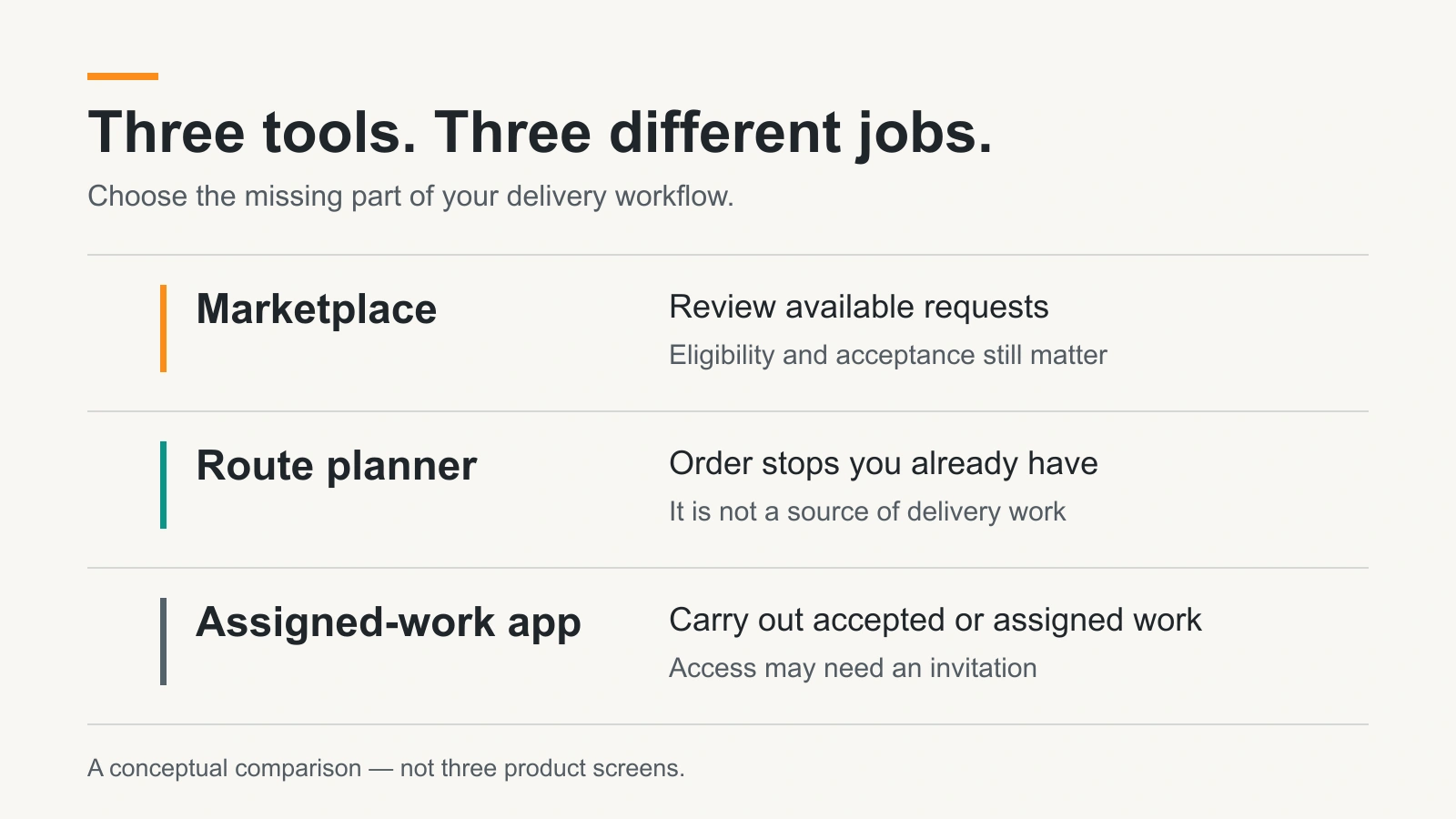
Three app types that solve different problems
The same product can cover more than one role, but the roles are not interchangeable. A courier with three regular shop customers may need better sequencing and delivery records. Someone with spare capacity may need a marketplace. A driver already receiving assigned routes may simply need the correct account invitation.
| Tool type | What it helps you do | Check before relying on it |
|---|---|---|
| Marketplace or load exchange | Review suitable requests or quote for available work | Eligibility, actual local access, acceptance process and who pays you |
| Route planner | Arrange stops you already have into a workable order | Import method, time windows, limits and whether you may change that route |
| Assigned-work app | View instructions, navigate, report progress and record completion | Required invitation or account, supported proof and the exception process |
Navigation is another layer: it helps you travel to the next location. It does not by itself establish the right package, an authorised recipient or an accepted delivery. Likewise, an expenses record helps you review your operation but cannot make a request available or prove that the goods arrived.
Compare these examples by role, not by a universal ranking
Courier Exchange’s own FAQ describes a load marketplace where couriers see advertised loads and can quote to the business posting them. It also explains that rates and payment terms are agreed with the other member. That is a different purchasing decision from buying software to sequence your existing stops. Check the current membership and operating requirements directly.
Onfleet’s driver setup guide says an organisation using Onfleet must add a driver before they can sign in. The app supports that organisation’s delivery workflow. Installing it is not the same as opening a marketplace account, even if an app roundup lists it beside platforms used to find work.
Evri’s official Courier Community listing describes both applying and access to local rounds for existing couriers. Those are separate stages. Read what is available to your own account instead of treating the download button as access to every advertised feature.
Routella has a similar distinction between product roles. Its core delivery software is a tool for a business’s own drivers. Routella Partners is the independent-driver marketplace path, described below. Choose the path that matches where your deliveries come from, rather than assuming two products with the same brand do the same job.
Six checks before you depend on a courier app
Make a short comparison sheet for your actual vehicle and working area. Write down the answer and where you verified it. A provider page may explain the general service, but your signed-in account and the exact request determine what you can actually do.
- Access: can you apply directly, or must a business invite you? Separate account creation, completed checks and eligibility for a particular delivery.
- Area: are the pickup, every stop and destination supported? A country flag or an app-store listing is not evidence of available work in your town.
- Vehicle and goods: can your declared vehicle safely carry the complete packed load? Check dimensions, weight, loading help and any restricted goods before accepting.
- Commitment: what pickup and arrival windows are you agreeing to? Include existing work, travel to pickup, loading, access and any required return.
- Records and payment: can you understand the amount, any fees, completion requirements, pending balance and payment process? A completed-delivery record and money received are different facts.
- Support and privacy: what happens if access fails, goods are damaged or the recipient is unavailable? Find the proper contact and learn which private details the app shares.
Do not use a national marketing claim as a substitute for one of these checks. If a key answer is missing, ask before committing. For handoff records, our guide to what proof of delivery can establish explains why a location update, a photo and a signature answer different questions.
Count the whole delivery, not just the drive
An attractive-looking request can fit poorly into the day if you count only the drive from collection to the recipient. Consider where you start, how long collection takes, what happens at the door and where the trip leaves you. Do not assume another suitable delivery will be waiting at the destination.
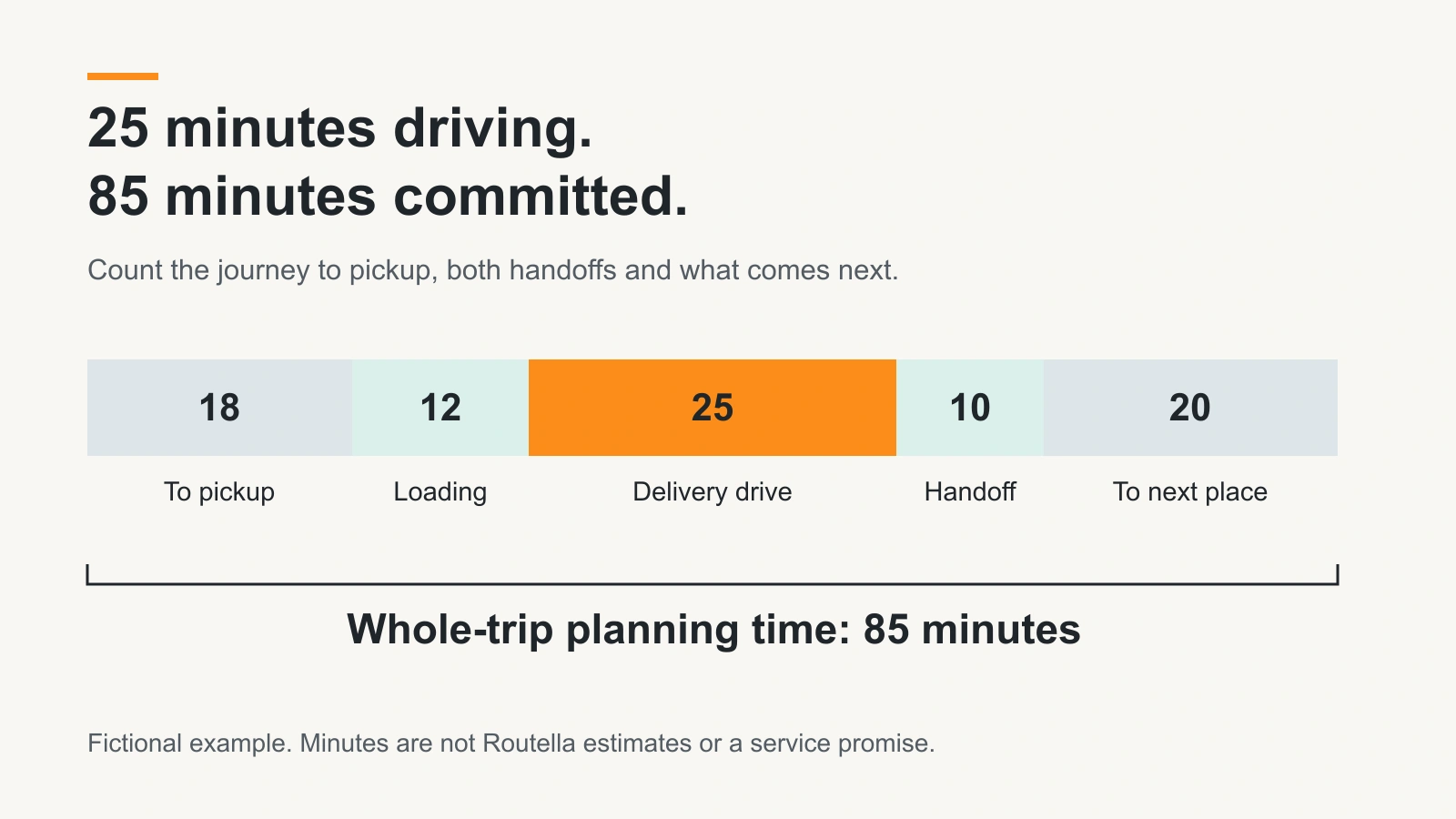
Review costs with the same care: a displayed delivery amount is not take-home profit. Use your own vehicle, operating and other applicable costs, and the provider’s actual terms. This guide does not estimate your income or settle tax or insurance questions. A useful app should make the underlying records understandable, not replace them with a headline earning claim.
Use more than one app without promising the same time twice
Comparing several tools is different from accepting overlapping deliveries. Keep one honest view of work you have already committed to, including the time needed between jobs. Review each platform’s rules. Do not assume one app knows about a booking made in another, or that two nearby pickup pins make the schedules compatible.
If you are busy, use the appropriate availability or pause controls. Check offers while safely stopped, and do not accept a second commitment on the hope that the first will finish unusually early. Keep recipient details inside the authorised delivery workflow; copying a customer list into another app can create a privacy problem as well as an operating mistake.
Where Routella Partners fits
Routella Partners is a marketplace connecting businesses with independent drivers, not an employer. Eligible participants can start setup in supported countries, including the United Kingdom. Each account and delivery must still meet the current area, vehicle, goods, identity, payment and local requirements. Signup does not establish local demand or guarantee work.
Use the country and service-area choices shown in driver setup, then complete the required secure steps. A city selected on a form is not blanket approval for every route around it. For Florida operations, exact pickup, stop and drop-off points are checked against eligible incorporated-city boundaries; a postal city name alone is not enough.
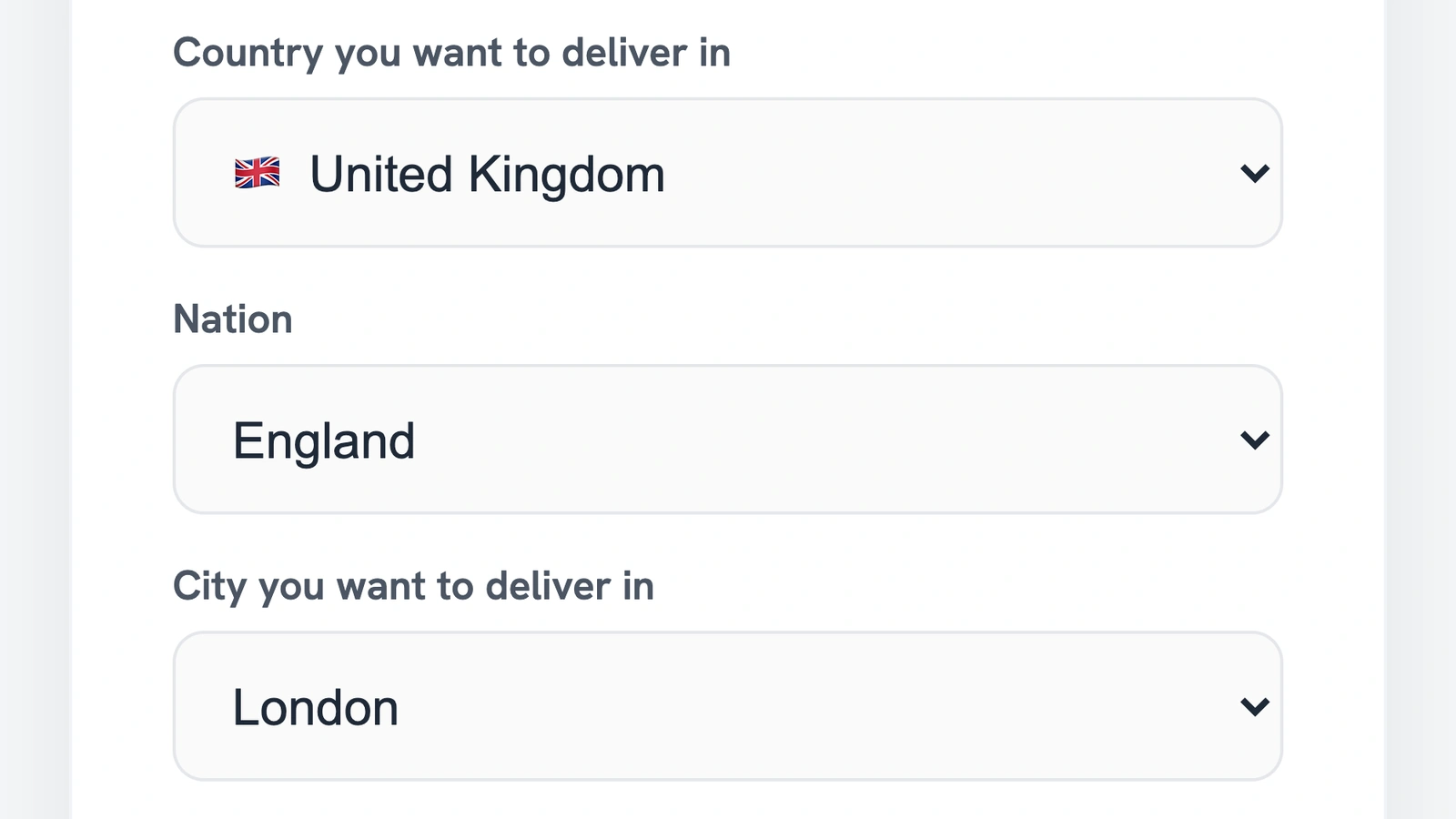
After eligible setup, immediate availability and future scheduled availability are separate choices. Where offered, the signed-in dashboard can search around your current location with permission, while scheduled settings describe future windows. Nearby search distance is straight-line distance to pickup, not a road journey estimate, and an empty result does not measure all delivery demand in the area.
Review the exact request and the controls offered for its country. Some flows allow counteroffers; others require a fixed amount and an exact named seller. Do not assume that a feature shown for another country applies to yours. A suggestion or displayed opportunity is not an accepted assignment, and each acceptance runs the current checks again.
Test one complete workflow before relying on it
Once your account qualifies and a suitable delivery is genuinely available, review one complete workflow before making the tool central to your day. Do not create a fake customer order merely to test payment or acceptance. Start with documentation or a supported demonstration, then use an ordinary eligible delivery that you can actually complete.
- Before: can you identify the goods, timing, area, amount, required vehicle and handoff without guessing?
- During: can you find the correct entrance, contact the right person and report a problem without falsely marking the job complete?
- After: can you find the saved outcome, required proof and the separate payment status? Do you know how to raise an unresolved issue?
Keep the tool if it solves the missing part of your operation and the real workflow is clear. Reconsider it if access, records or support remain uncertain. The right combination is the one you can use accurately and safely, not the longest list of apps on your phone.
Frequently asked questions
Do independent courier apps automatically provide delivery work?
No. Some organise deliveries you already have, and others require an invitation from a business. A marketplace can show suitable requests only when your account and the work meet its rules. Downloading an app, completing signup and accepting a delivery are separate events. Available work is never assured.
Is a route planner the same as a courier marketplace?
No. A route planner helps arrange known stops into a workable order. A marketplace connects eligible participants around available requests. A product can include both functions, but buying planning software alone does not supply customers or delivery work.
Can I use more than one courier app?
Check each platform’s terms and your existing commitments. Using several tools does not make overlapping deliveries workable. Keep an accurate schedule, include travel and loading time, and do not assume one platform can see bookings in another. Share private recipient details only through authorised channels.
What should I check beyond the amount shown for a delivery?
Review travel to pickup, loading, the delivery drive, handoff and what happens afterward. Check your operating costs, any fees, required records and actual payment terms. A displayed amount is not take-home profit, and a completed status is not proof that funds have reached your account.
How do I start with Routella Partners as a UK driver?
Open driver signup, select the supported country and service area shown, and complete the required secure setup. Your account, vehicle and each exact delivery still need to qualify. Routella is a marketplace, not your employer, and setup does not guarantee available or accepted work.
Check whether Partners fits your delivery operation
Start independent driver setup in your supported country. Account, service area, vehicle and delivery checks still apply; completing setup does not guarantee available work or an accepted delivery.