Recurring Delivery Routes: How to Plan the Same Route Every Week
Delivering to the same customers every week? Here is how to plan recurring delivery routes as reusable templates — cadence, drivers, and keeping them efficient.
A lot of delivery work is not new work. The same restaurants get their produce every Tuesday, the same offices get their water cooler bottles every other Friday, the same subscription boxes go to the same doors every week. When most of your stops repeat, rebuilding the route from a blank map each morning is pure waste — you retype the same customers, re-sequence the same streets, and re-assign the same driver, day after day. Recurring delivery routes fix that: you save the route once as a reusable template, then bring it back — or let it come back on a schedule — with the stops, driver, and order already in place.
This guide covers what recurring routes are, which businesses they suit, how to set them up step by step, and — the part most teams get wrong — how to keep a repeating route efficient as customers join and drop off. If you are still sequencing every route by hand, start with our guide to optimizing multi-stop delivery routes; recurring routes build directly on top of that.
What are recurring delivery routes?
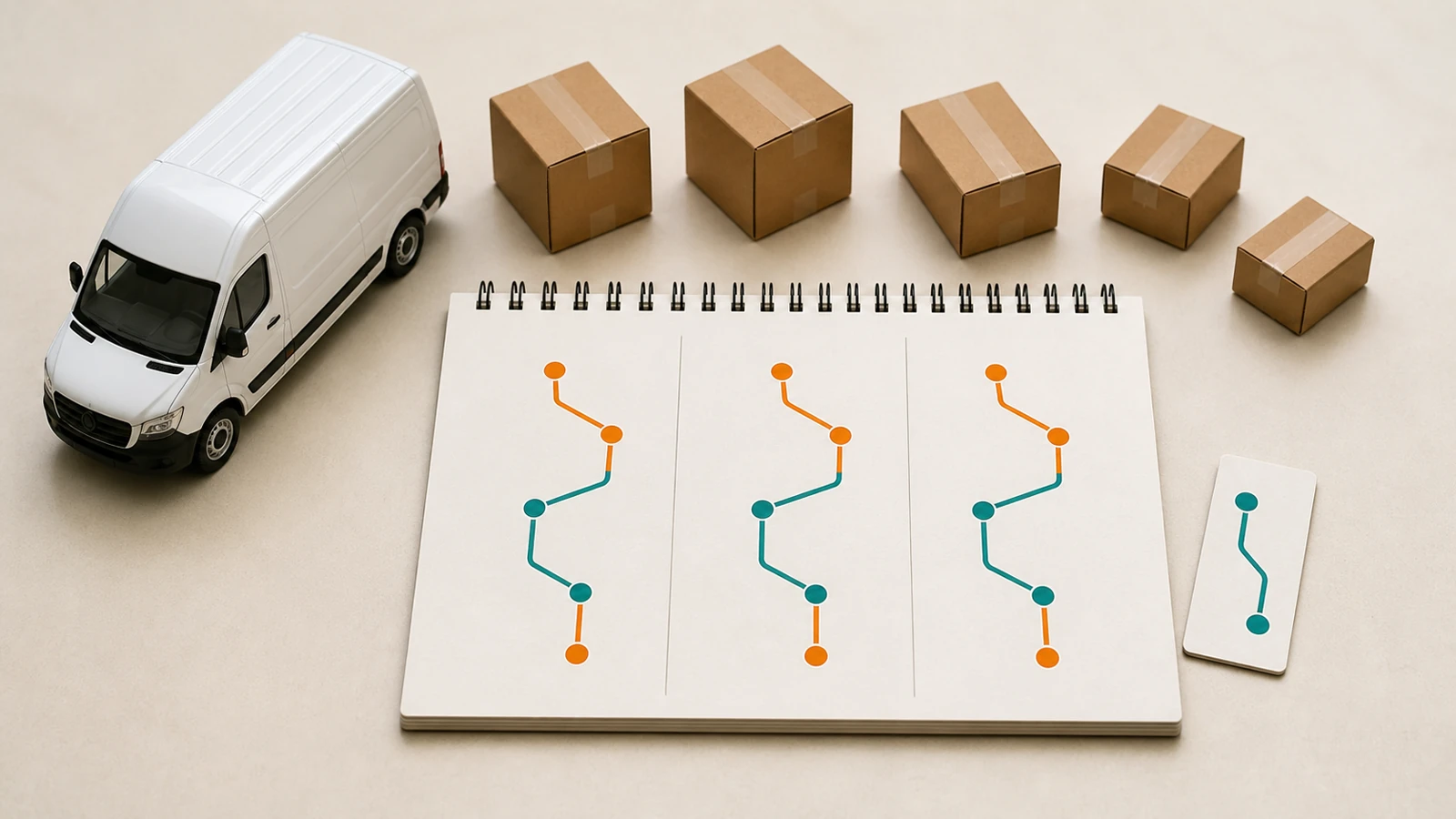
A recurring delivery route is a saved route template — a named set of stops, a driver, an origin, and a cadence (say, every Monday and Thursday) — that you reuse instead of recreating. When the day comes, you activate the template and it becomes a live, dispatchable round for that date: same stops, ready to optimize, assign, and send out. The template stays put for next time; the round is the disposable instance you actually run.
The distinction matters. A one-off route is something you build, drive, and discard. A recurring route is an asset you maintain: edit it once — add a new customer, drop a churned one, change a time window — and every future run inherits the change. That is the difference between doing the same setup 50 times a year and doing it once.
Which businesses run recurring delivery routes?
Recurring routes suit any operation where who you deliver to is stable even when the exact contents change. The clearest fits:
- Subscription and box deliveries — meal kits, produce boxes, coffee, pet food, flowers. Same members, same doors, predictable cadence.
- B2B replenishment — bakeries and produce suppliers restocking cafés and grocers, beverage and water-cooler routes, linen and uniform services, medical and lab courier runs.
- Route-based services — laundry pickup and drop-off, waste and recycling collection, vending restock, field service that visits the same sites on a rota.
- Pharmacies and clinics — repeat-prescription rounds to the same patients and care homes on a weekly or fortnightly schedule.
- Local retail with regulars — any shop with a core of standing orders that go out on the same days each week.
What these share is a repeating customer list, not a repeating manifest. The bottles, boxes, or prescriptions differ each time; the addresses and the rhythm do not. That is exactly the shape a recurring route is built for.
Why save a route as a template instead of rebuilding it daily?
Rebuilding a repeating route by hand is expensive in ways that hide inside the daily grind:
- Setup time you pay every single day. Ten minutes retyping and re-sequencing a 20-stop route is nearly an hour a week, per route — for work you already did last time.
- Transcription errors. Re-entering the same addresses by hand is where a wrong door, a dropped stop, or a stale phone number sneaks in. A template is entered once and checked once.
- Inconsistent sequencing. Built fresh each day by whoever is on shift, the “same” route drifts — a different order, a different driver, a different guess. A template gives you a consistent baseline to optimize from.
- Lost institutional knowledge. The gate code, the “leave with the neighbour,” the loading-dock-round-the-back note — a per-stop note on a saved route keeps it; a daily rebuild loses it the moment the dispatcher who knew it is off.
Templating the route turns all of that from a recurring cost into a one-time setup. And it compounds: the more disciplined your templates, the less any single day depends on the person building it.
How to set up recurring delivery routes, step by step
Recurring routes vs one-off route optimization — when to use which
They are not rivals; they stack. One-off optimization answers “what is the best order to visit these stops today?” A recurring route answers “which stops, which driver, and which day, without rebuilding it from scratch?” You use the template to avoid re-entering the route, and you still optimize each activated round so the sequence reflects real traffic, time windows, and whatever changed this week.
- Use a recurring template when the customer list is stable across runs — it kills the daily setup tax and preserves your per-stop notes.
- Still optimize each activated round — a saved sequence is a starting point, not a frozen answer; conditions and the exact stop set shift every time.
- Keep one-off routes one-off — a batch of orders you will never see again does not need a template; just build, optimize, and dispatch it.
Weekly, biweekly, or monthly — choosing a cadence
Match the cadence to how fast the customer actually consumes what you deliver, not to what is easiest to schedule. Get it wrong in either direction and you lose money: too frequent and you send half-empty routes with a poor cost per drop; too sparse and you leave customers short and invite churn.
- Weekly — the default for perishables and fast-moving stock: fresh produce, bakery, food subscription boxes, high-turnover B2B replenishment.
- Biweekly — a good fit for slower consumables and services: many pantry-staple boxes, some cleaning and linen services, lighter replenishment.
- Monthly — for durable or low-frequency needs: bulk restock, quarterly-feel subscriptions, maintenance-style visits.
The efficiency win is real either way: because the route is a template, running it more or less often is a scheduling change, not a rebuild. You can even run the same stop list at two cadences — a weekly core plus a biweekly overflow — without maintaining two separate address lists by hand.
Keeping recurring routes efficient as customers change
The hidden failure mode of recurring routes is drift. A route set up perfectly in January quietly rots by June: three customers churned, four new ones were bolted on wherever was convenient, and nobody re-optimized the shape. Now the driver crosses town twice for stops that should have been re-clustered. A template saves setup time, but it does not maintain itself — you do. A few habits keep recurring routes honest:
- Prune on cancellation, immediately. When a customer pauses or churns, take the stop out of the template that day. A ghost stop wastes a driver’s time and, worse, risks an awkward knock at a door that cancelled weeks ago.
- Re-cluster when you add stops, don’t just append. New customers should slot into the geographically nearest route, not tacked onto whichever one you happened to open. Periodically re-balance which stops live on which template.
- Re-optimize the template itself every so often. Optimizing each daily run handles the day; every month or quarter, re-optimize the saved sequence so the baseline stays tight as the customer set evolves.
- Watch cost per drop per route. A recurring route whose cost per drop is creeping up is telling you it has drifted — too few stops, too spread out, or a cadence that no longer fits. Treat it as the early-warning signal it is.
How Routella handles recurring routes
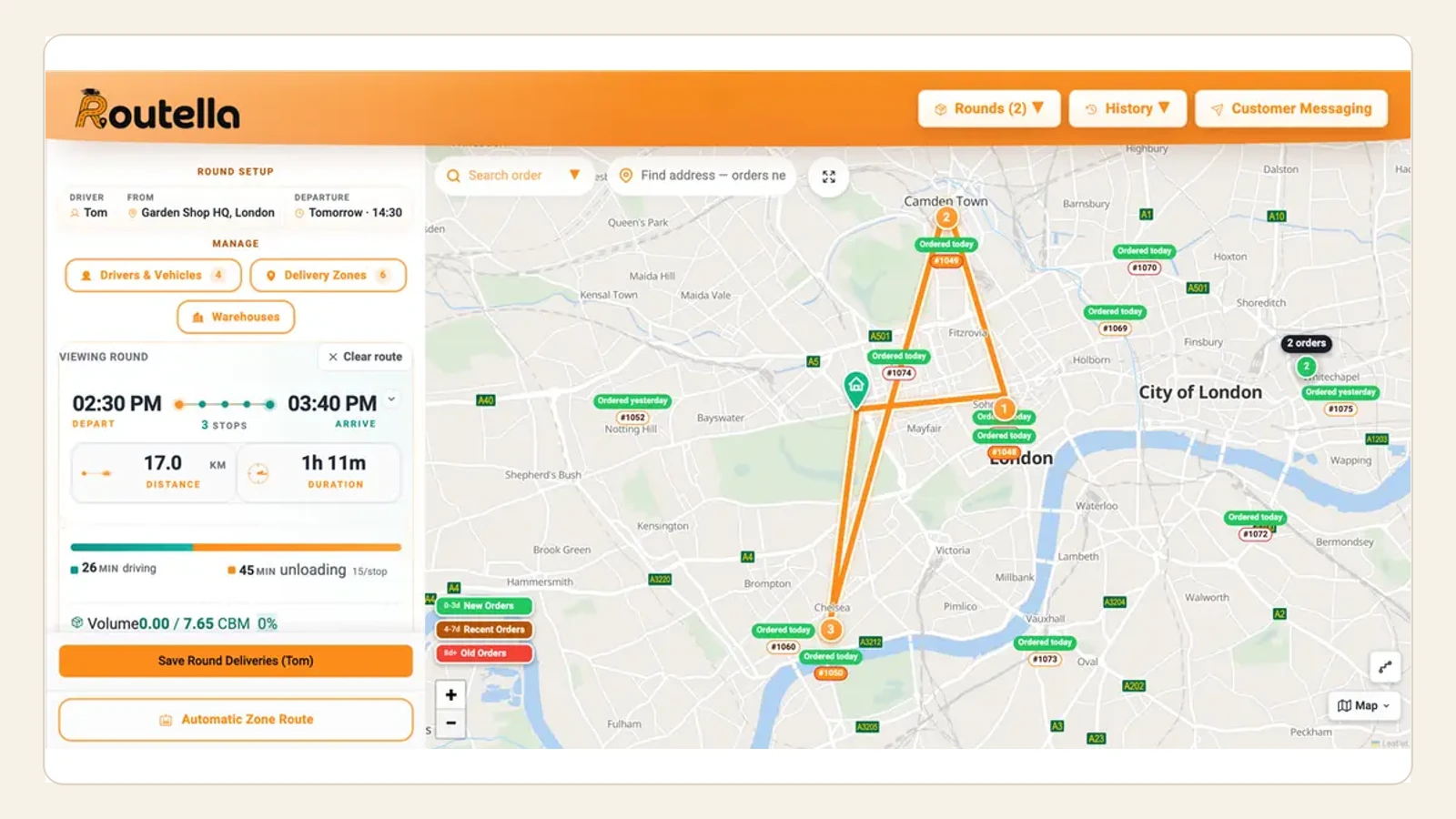
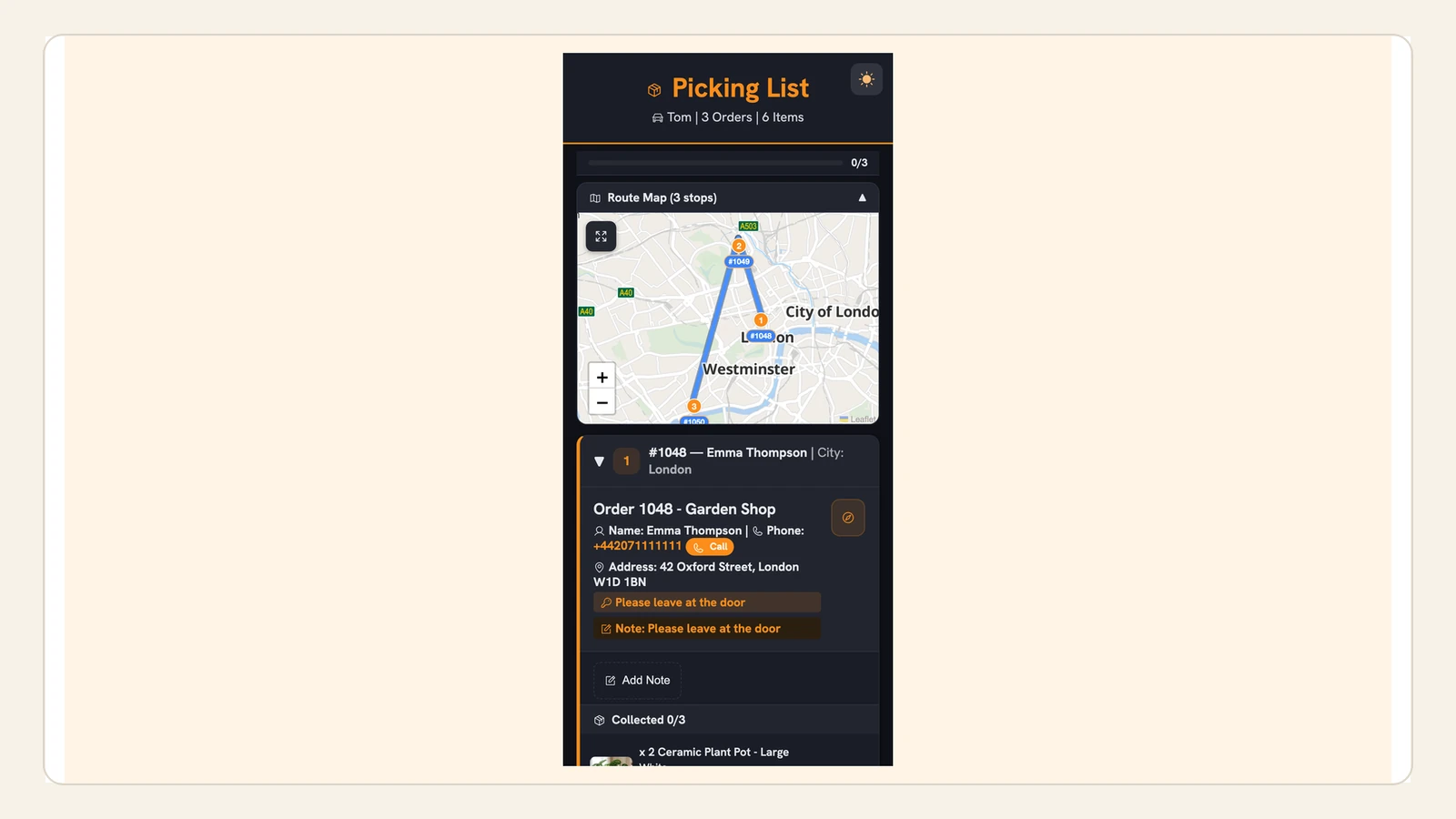
Routella is built for businesses running their own drivers, and recurring routes are a first-class part of it: you save a route you run regularly and bring it back with one click, or put it on a weekly, biweekly, or monthly schedule so it is ready on the right day. Each saved route keeps its stops — name, address, phone, per-stop notes, delivery or pickup, and time windows — plus a default driver and origin, and activating it creates a fresh live round you then optimize, assign, and dispatch like any other. Orders can flow in automatically from Shopify, WooCommerce, Wix and 10 more platforms, or you add stops by hand, so a subscription box and a phone-order regular live on the same board.
Because the whole workflow is in one place, a recurring route inherits everything else: multi-stop optimization on each run, a no-install driver link with navigation and proof of delivery, and automatic WhatsApp, SMS, and email updates with a live tracking page for your standing customers. Pricing is a flat team price rather than per-driver — free to start (1 driver, 50 orders and 5 rounds a month, no credit card), then $29/month on Growth — so building out a library of recurring routes and adding drivers does not inflate the bill.
The bottom line
Repeating deliveries deserve a repeating workflow. Save each stable route as a template, give it a cadence, activate and optimize it on the day, and keep it pruned as customers come and go — and you turn a daily setup tax into a one-time job that keeps paying off. If most of your stops repeat, recurring routes are the single highest-leverage change you can make to how you dispatch. See how Routella works or start on the free plan and template your first route today.
Frequently asked questions
What is a recurring delivery route?
It is a saved route template — a named set of stops, a driver, an origin, and a cadence such as “every Tuesday” — that you reuse instead of rebuilding from scratch each time. When the day comes you activate the template and it becomes a live round you can optimize, assign, and dispatch. The template stays for next time, so you enter the route once rather than re-creating it every run.
When should I use a recurring route instead of building a route each day?
Use a recurring route whenever more than half of a route’s stops are the same from one run to the next. Subscription boxes, B2B replenishment, laundry and waste rounds, and repeat-prescription runs all fit. If a route is a one-off batch of orders you will never see again, just build and optimize it once — no template needed.
Can I still optimize a recurring route, or is the order fixed?
You should optimize it on every run. The template saves you from re-entering the stops, but you still run route optimization on each activated round so the sequence reflects that day’s traffic, time windows, and any stops added or paused this week. Think of the saved route as a clean starting point, not a frozen sequence.
How do I keep a recurring route efficient as customers join and leave?
Prune churned customers from the template the day they cancel, slot new customers into the geographically nearest route rather than appending them anywhere, and re-optimize the saved sequence itself every month or quarter. Watch cost per drop per route as an early-warning signal — if it is creeping up, the route has drifted and needs re-balancing.
Does Routella support recurring or scheduled delivery routes?
Yes. You can save a route you run regularly and bring it back with one click, or put it on a weekly, biweekly, or monthly schedule so it is ready on the right day. Each saved route keeps its stops, per-stop notes, time windows, and a default driver; activating it creates a live round you optimize and dispatch normally, with proof of delivery and automatic customer notifications included. There is a free plan to set up your first recurring route with no credit card.
Run your own deliveries with Routella
Route optimization, a driver app, proof of delivery, and live customer tracking — in one platform. Free plan, no credit card.